2.5GbE vs 5GbE vs 10GbE in 2026: what's actually worth it (UK)
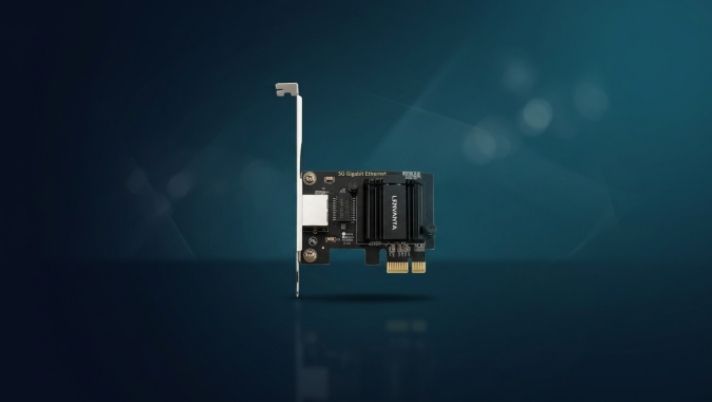
Gigabit Ethernet has been "fast enough" since 2004. It stopped being fast enough the day you put an NVMe drive in your NAS. A single modern hard disk can saturate a gigabit link on its own; a two-drive array is bottlenecked the moment a transfer starts; an SSD cache barely notices the network is there. If files move between machines on your network, the cable is now the slowest part of the chain. Fixing that costs less than most people think.
This guide covers the three multi-gig tiers you can actually buy in the UK in 2026 (2.5GbE, 5GbE, and 10GbE), what each genuinely costs to run end to end, and which controller chips to look for at every tier. We sell NICs and name the chipset in every product title, so we have opinions. We've tried to keep them honest.
The short version
- 2.5GbE is the default upgrade: cheap, runs over the Cat5e you already have in the walls, and supported everywhere.
- 5GbE is the awkward middle child: only worth it when it arrives free on a motherboard or as a fallback mode on a 10GbE card.
- 10GbE pays off when large files move between two or three fixed machines: video editing off a NAS, shared project storage, whole-disk backups.
2.5GbE and the RTL8125B: the upgrade that costs less than a takeaway
Realtek's RTL8125B is the reason 2.5GbE went mainstream. It's a PCIe x1 controller with drivers everywhere it matters: Windows 11 ships them, mainline Linux has supported it for years, and TrueNAS, Unraid, and OpenMediaVault all bring it up out of the box. A card built on it typically costs less than £20 in the UK, and there's nothing to configure: it negotiates 2.5G, falls back to gigabit gracefully, and gets on with it.
The part people miss: 2.5GBASE-T was designed to run over ordinary Cat5e at the full 100 m. Whatever cable is already in your walls almost certainly carries 2.5GbE. So the true cost of the tier is one NIC per machine plus an unmanaged 2.5GbE switch, and five-port 2.5GbE switches are commodity items now. There's no rewiring involved and no driver archaeology either. That's why this is the default answer.
5GbE: the tier nobody quite asked for
5GbE runs over the same cabling as 2.5GbE and doubles the throughput, which sounds like the sensible midpoint. The problem is the other end of the cable: switch ports that negotiate 5G are rare and priced much closer to 10GbE than to 2.5GbE. In practice 5GbE is something you receive rather than buy: the built-in port on a higher-end motherboard, or one of the fallback speeds on a 10GbE NIC. If you're choosing a card today, buy 2.5GbE for cheap or 10GbE for fast; don't pay a premium to sit in between.
10GbE: AQC113 vs RTL8127, and when it's actually worth it
Real-world 10GbE moves roughly 1.1 GB/s after overheads. That's a four-disk NAS array delivered at full speed, a SATA SSD outrun, and a meaningful fraction of an NVMe cache. If your day involves pulling 50 GB video projects off shared storage, 10GbE turns a four-minute wait into forty seconds.
Two controllers matter at this tier. Marvell's AQC113 (the AQtion line) is the incumbent: mature drivers on Windows and Linux, full NBASE-T fallback through 5G/2.5G/1G, and a PCIe 4.0 interface that lets a single lane feed the whole port. It runs warm, so give it airflow rather than a sealed case corner. Realtek's RTL8127 is the newer challenger: cheaper and lower-power, with drivers that have improved quickly but have less mileage on NAS operating systems. On a Windows desktop we'd take either; under TrueNAS, check your OS version supports the card before you build around it. A full head-to-head is its own article, and it's on our list.
Cabling is the honest asterisk: 10GBASE-T wants Cat6 for runs up to 55 m and Cat6a for the full 100 m. Between machines in the same room, any decent Cat6 patch lead is fine; through the walls of a 1930s semi, check what's actually installed before promising yourself ten gigabits.
The switch question
We don't sell switches, so take this as neutral advice. For 2.5GbE, any unmanaged multi-gig switch from a brand you've heard of is fine; they're interchangeable commodities now. For 10GbE, the affordable pattern is a switch with two 10G uplink ports and a handful of 2.5G ports: NAS and workstation get the fast ports, everything else shares the rest. All-10G units like TP-Link's TL-SX1008 exist for when the whole rack needs it. And if exactly two machines need to talk fast, you can skip the switch entirely and cable two NICs directly. That trick is worth its own guide.
What we'd do, in pounds
- Whole-house upgrade on a budget: an RTL8125B card in each desktop plus one unmanaged 2.5GbE switch. Everything gets 2.5× faster for well under £100 total.
- NAS plus one workstation moving big files: a pair of AQC113 10GbE cards, direct-cabled or through a two-port-10G switch. This is the setup that changes how shared storage feels.
- Laptops, TVs, consoles, and anything on Wi-Fi: leave them alone. Gigabit is still fine for streaming and browsing; multi-gig is for moving files.
Every Lenvanta network card names its controller (AQC113, RTL8125B, and the rest) right in the product title, so you know exactly which driver you're getting before you buy. See what we stock, or ask us which card fits your build.